Virtual Employees

AI Virtual Employee Software for Small Business

AI teammates that read and reply across email, WhatsApp, web chat and more — working 24/7, within the roles you set

Build Your First Virtual Employee →
What it is

One teammate. Every channel

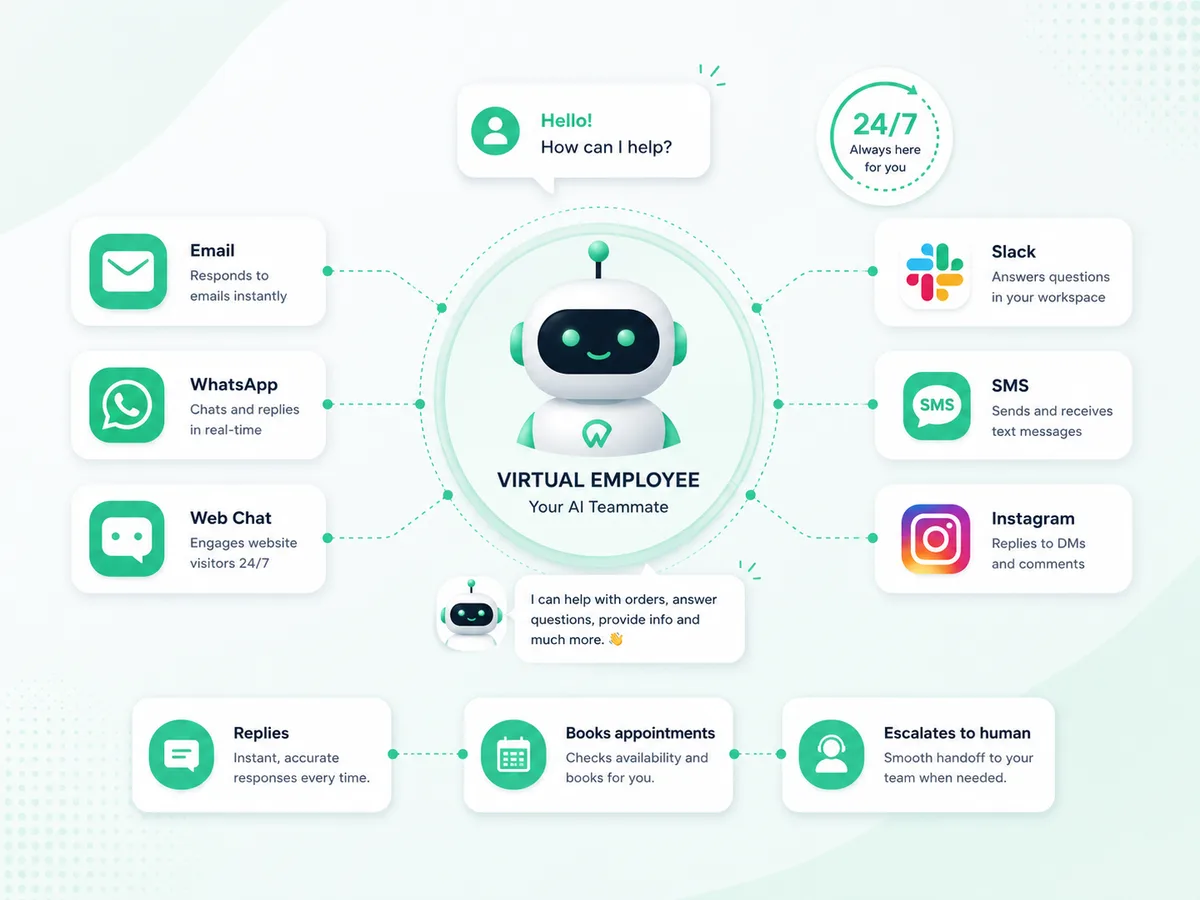
You give it a name, a role, and the channels to watch — then it gets to work: answering routine customer messages, booking appointments, and escalating anything that needs a person.

No overtime, no missed messages, no dropped threads — and it only ever does what you allow, staying within the roles and permissions you set

A Virtual Employee working across email, WhatsApp, web chat and Slack
How it works

From a message to a done task

1

A message comes in

An email, WhatsApp, SMS, web chat or Slack/Teams message arrives on any channel your Virtual Employee watches.

2

It understands & decides

Its AI brain reads the message with your business knowledge and the rules you set — then decides how to help.

3

It replies or takes action

It answers, updates a record, runs a step, or escalates to a human — remembering the full conversation thread.

Every channel

Wherever your customers reach out

Give a Virtual Employee one channel or many. Email is included by default; add the rest as you grow.

EmailGmail, Outlook or any inbox
WhatsAppReply to customer chats
SMSText-message conversations
Web chatA bubble on your website
SlackWork inside your team chat
Microsoft TeamsCollaborate with staff
MessengerFacebook page messages
InstagramDMs from your profile
Set it up in minutes

You describe it — Workmaster runs it

1
Name & job titleGive it a human name and a role so your team knows who they’re working with.
2
Its AI brainChoose the AI model that powers it — pick the balance of speed, cost and capability you want.
3
Roles & permissionsDecide exactly what it’s allowed to see and do. It can never step outside those roles.
4
ChannelsConnect the inboxes and chat channels it should answer on — one, or several.
5
Active or pausedTurn it on when you’re ready, and pause it any time — it stops acting instantly.
Safe by design

A teammate you can trust

It only does what you allowAccess is by role. A Virtual Employee can never see data or take an action outside the roles you gave it — the rules can’t be bypassed.
Your logins stay secureConnections to Gmail, WhatsApp and other providers are stored encrypted and never exposed to the AI or the browser.
A human stays in the loopIt can escalate anything that needs a person, and you can pause it in one click. You’re always in control.
It remembers the conversationEach thread keeps its own memory, so replies stay in context across a whole back-and-forth.

AI virtual employee — common questions

What is an AI virtual employee?

An AI virtual employee is an always-on AI teammate that works across your channels — email, WhatsApp, SMS, web chat, Slack, Microsoft Teams and more — reading messages, replying, taking action, or handing off to a human. With Workmaster you set up its name, role, permissions and channels, and it only ever does what you allow. No coding required.

How is an AI virtual employee different from a chatbot?

A chatbot mainly answers questions on your website. An AI virtual employee works across many channels and can take action — booking, updating records, running steps — not just replying. It behaves like a member of staff with a defined role and permissions, and escalates to a human when needed.

What can an AI agent do for my business?

An AI agent can handle routine customer messages 24/7, capture leads, book appointments, update records, run repetitive steps and escalate anything that needs a person — across every channel you connect. It works within the exact roles and permissions you set.

Is it safe to give an AI agent access to my systems?

Yes. Access is role-based — an AI virtual employee can never see data or take an action outside the roles you grant, and the rules cannot be bypassed. Logins are stored encrypted and never exposed to the AI, and a human can pause it in one click.

How much does an AI virtual employee cost?

Workmaster is free to start with no credit card. You can build your first virtual employee for free, then move to a usage-based paid plan as you add channels and volume.

Hire your first Virtual Employee today

Describe the job and Workmaster builds a teammate that starts working across your channels — free to begin.

Get Started for Free →